
Expenses
Keep a record of what your store spends.
Record an expense
- In the left menu, open Expenses → Add Expense.
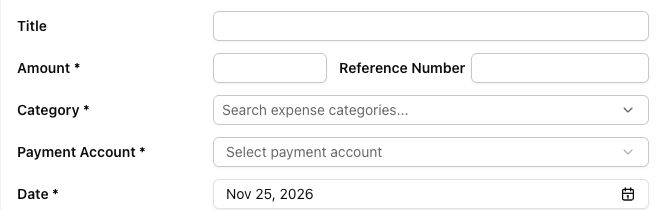
- Enter the Amount and choose a Category. Use Title for a short name, such as Shop rent.
- Choose the Payment Account you paid from. Set the Date to the day you paid.
- Add the receipt under Attachment if you have one. Click Save Expense.
Add an expense category
- Open Expenses → Expense Categories and click Add Category.
- Enter a name, such as Rent or Delivery. Keep Calculate in reports on if this cost should count toward store expenses in your reports.
- Click Save Expense Category. You can now choose it when you add an expense.
Download the expense list
Open Expenses → All Expenses. Choose a date range or other filters to show the records you need. Click Export, then Export as CSV. You can open the file in a spreadsheet app.