
Customer and Supplier Ledgers
Record collections or supplier payments in one place and see what remains unpaid.
Record customer collections
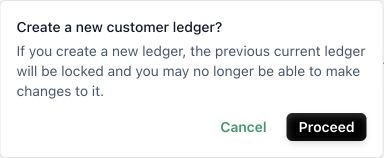
- Open Customers → Customer Ledger and click New Ledger, then Proceed. Enter a title and date. Use Assigned Staff if someone is responsible for the collections.
- Find the customer. Check Current Balance and put the amount you received in Collected. If the Account column is shown, choose where the money went.
- Check Remaining and click Save Ledger. Jiaflow applies the collection to outstanding customer credit. Saving a new ledger locks the previous one. To pay a specific credit entry, use Record Payment on that entry.
Record supplier payments
- Open Suppliers → Supplier Ledger and click New Ledger. Enter a title and date.
- Find the supplier. Enter the amount in Paid Amount, choose the Account you paid from, and check Remaining.
- Click Save Ledger. Jiaflow applies the payment to outstanding supplier bills. To choose a specific bill yourself, use New Transaction.
Review or print a ledger
Current Balance shows what was owed before the amount entered on the row. Remaining shows the balance after that amount. Open a saved ledger and use Print Ledger for a copy. Older ledgers are locked and remain available to view or print.